Free · Beta

Sampledex press kit

Make the samples other producers build on.

Sampledex is a DAW made by sample makers, for sample makers, creating original loops, melodies, phrases, textures and stems. Robert Anthony of Robert Anthony Studios founded Sampledex to solve the lack of a DAW specifically for composing samples.

Available for macOS, Windows (testing) and iPad. The screenshots below show the native macOS workspace; features and project compatibility differ by platform.

Media contact
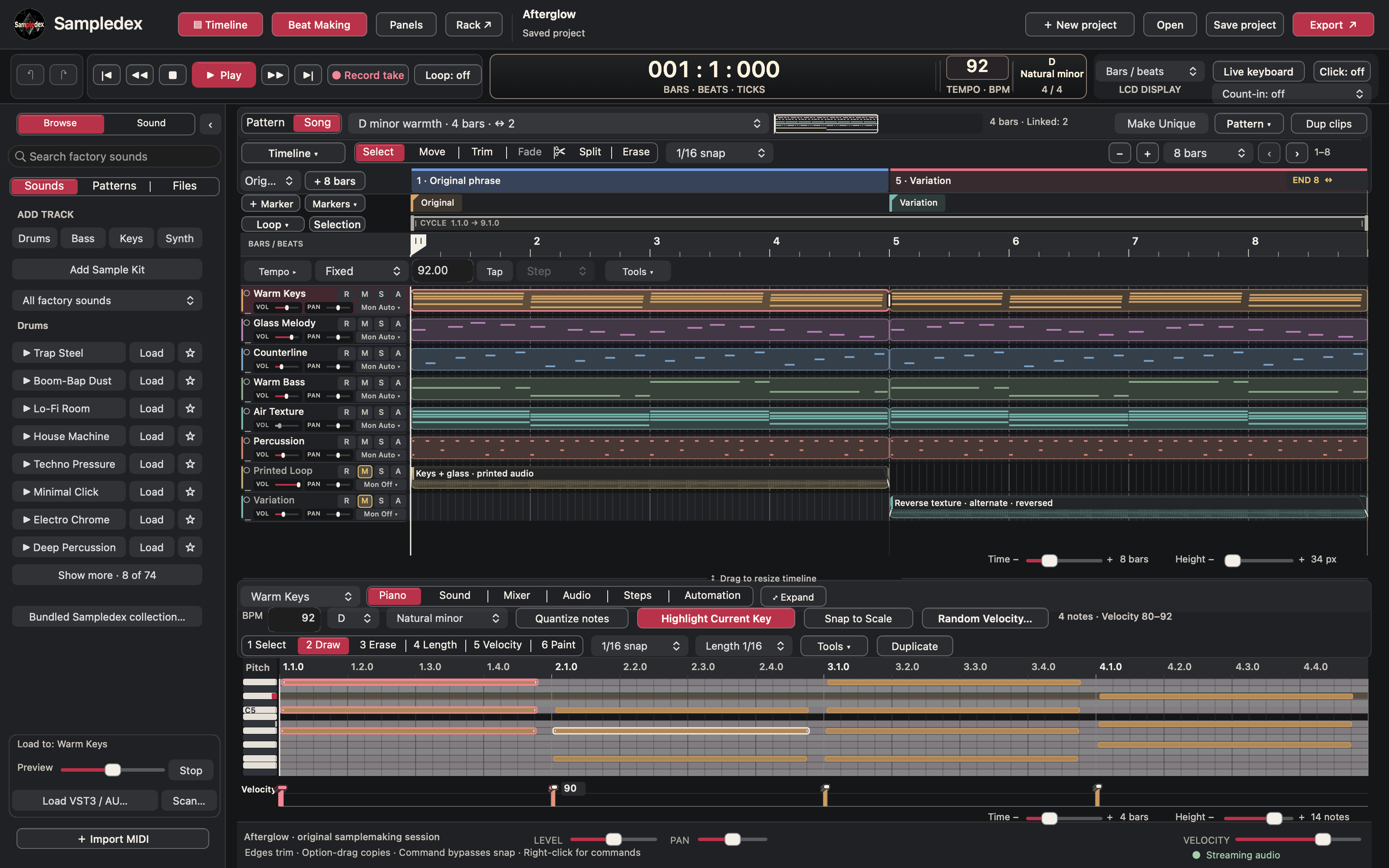
Sampledex showing the Afterglow loop with Warm Keys, Glass Melody and Counterline tracks above a chord pattern in Piano.
Sampledex on macOS · One idea, built in layers: chords, melody, bass and texture.
Sampledex logo

Sampledex logo

Original PNG

Download logo

macOS screenshots

Sampledex showing the Afterglow loop with Warm Keys, Glass Melody and Counterline tracks above a chord pattern in Piano.

The samplemaker workspace

One idea, built in layers: chords, melody, bass and texture.

PNG · 3200 × 2000Download PNG
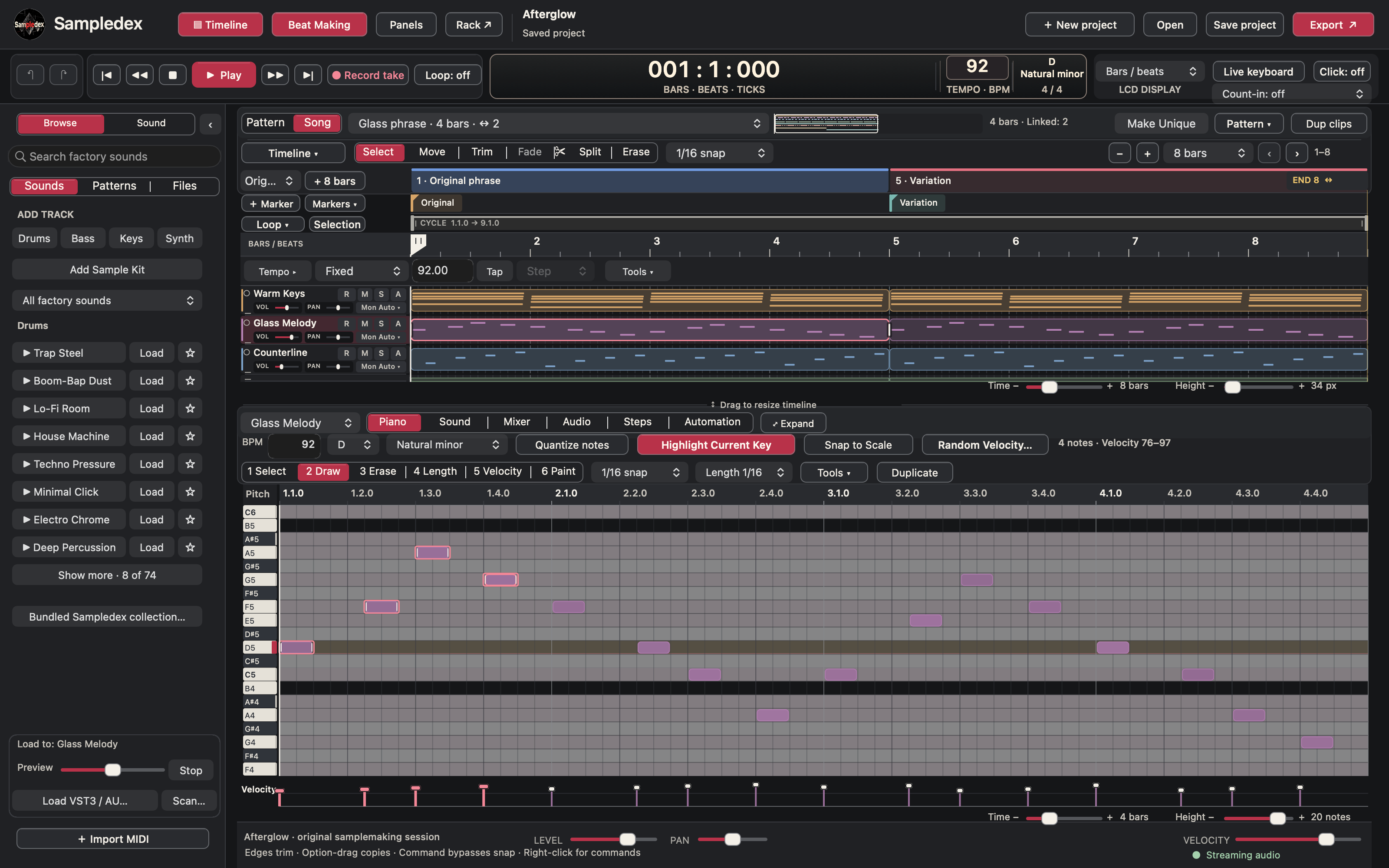
The Glass Melody phrase in Piano, with D natural minor guidance, melodic notes and individual velocity handles.

Piano and melody

A melody in context, with scale guidance and individual note velocities.
PNG · 3200 × 2000Download PNG
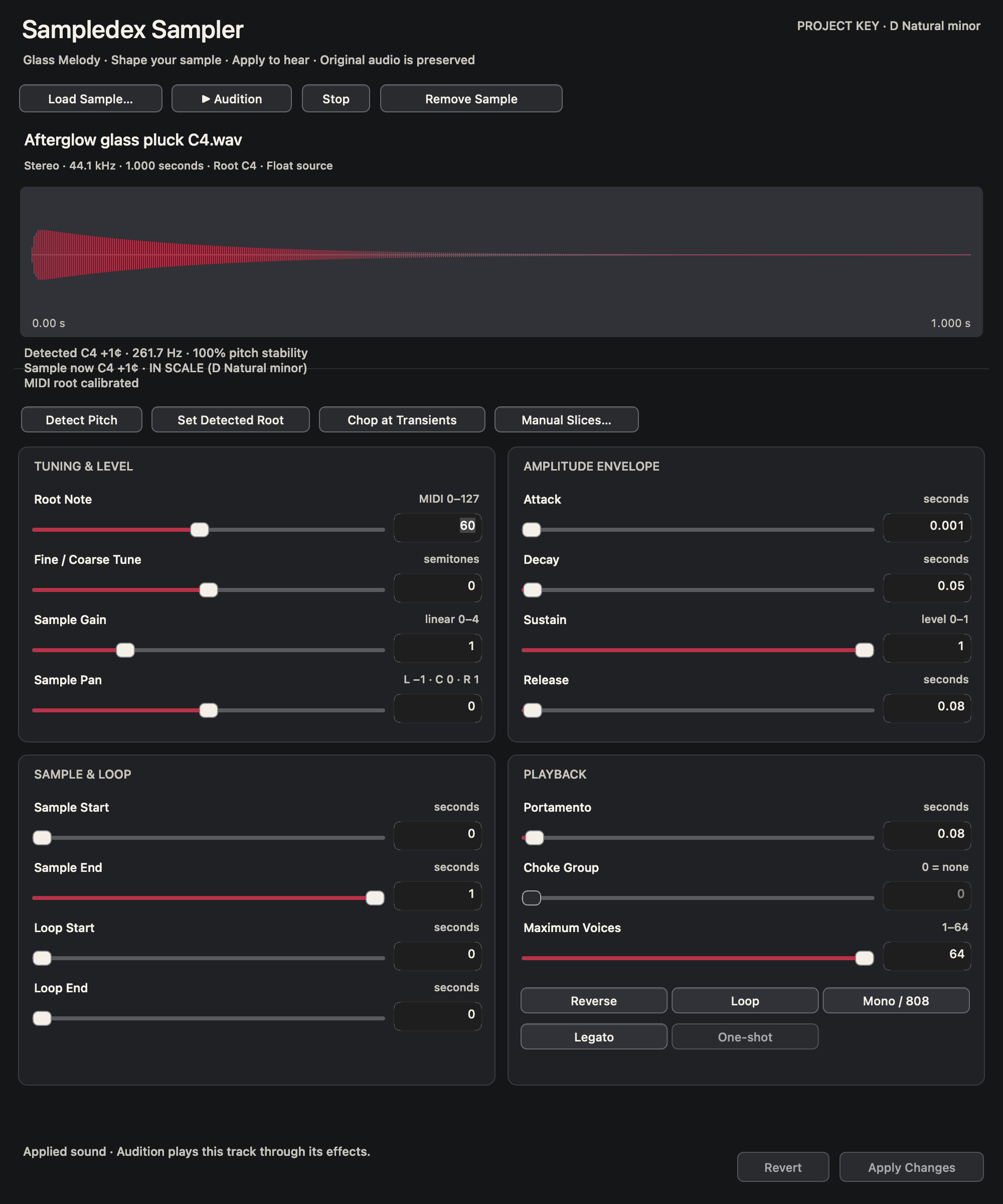
Sampledex Sampler displaying a glass-pluck waveform, detected C4 pitch, root tuning and amplitude envelope controls.

Sampler

Turn a loaded sample into a playable sound with tuning and envelope controls.
PNG · 2000 × 2400Download PNG
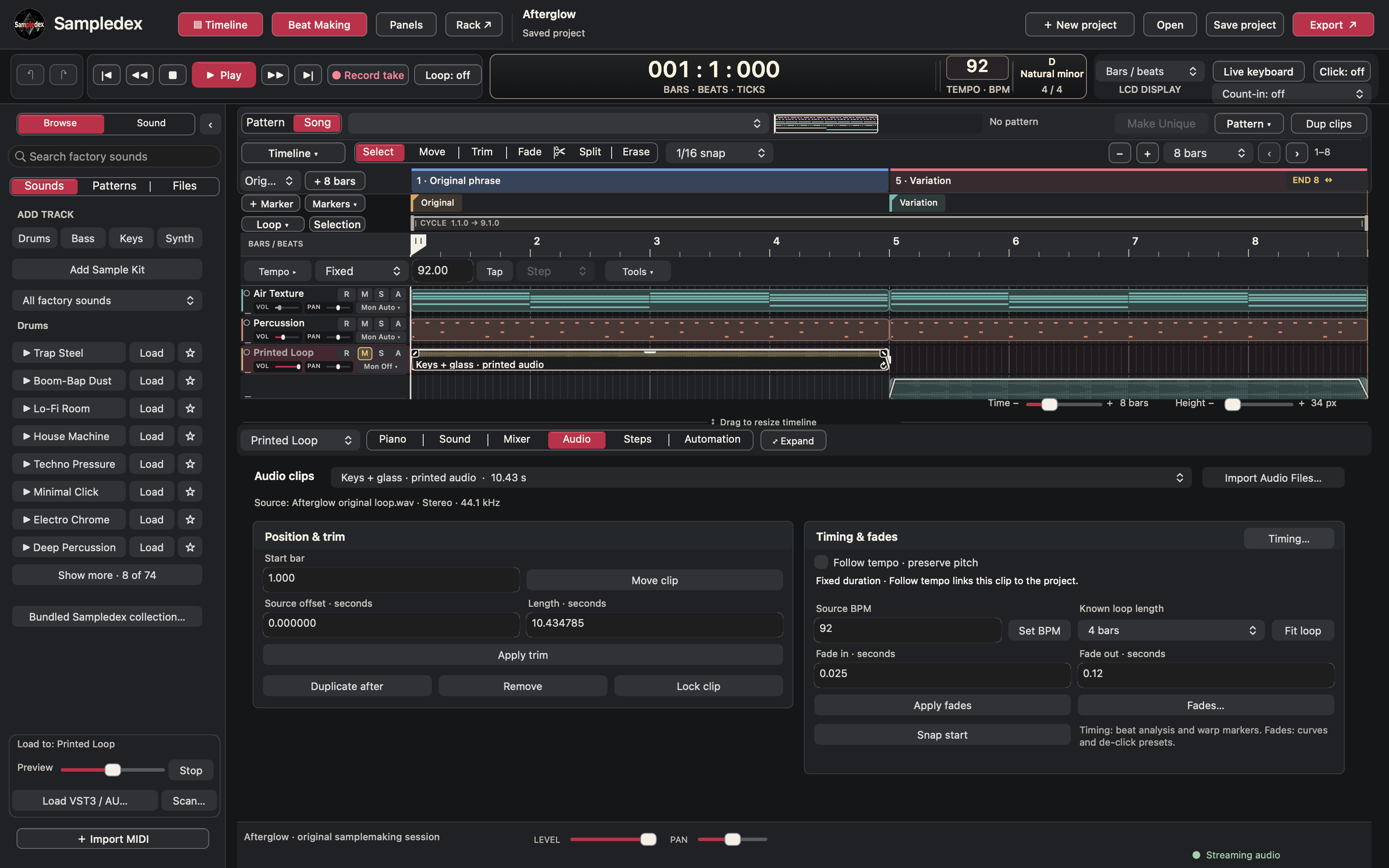
Audio inspector showing position and trim settings, source BPM and loop-length controls for the selected clip.

Audio timing and fades

Set the clip’s position, source tempo and musical length.
PNG · 3200 × 2000Download PNG
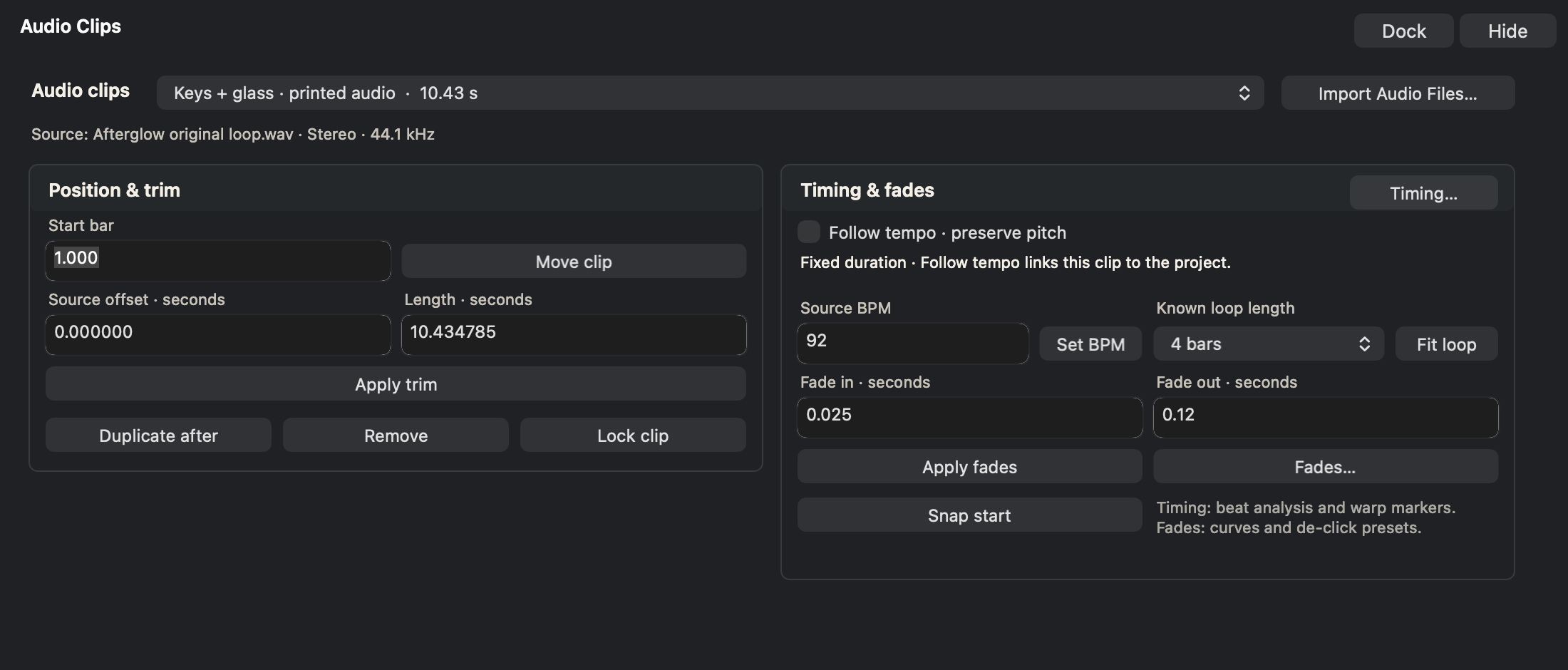
A separate Audio Clips panel showing position, trim, source BPM, loop length and fade controls.

Audio editor detail

Keep the audio controls close while you work on the phrase.
PNG · 2200 × 940Download PNG
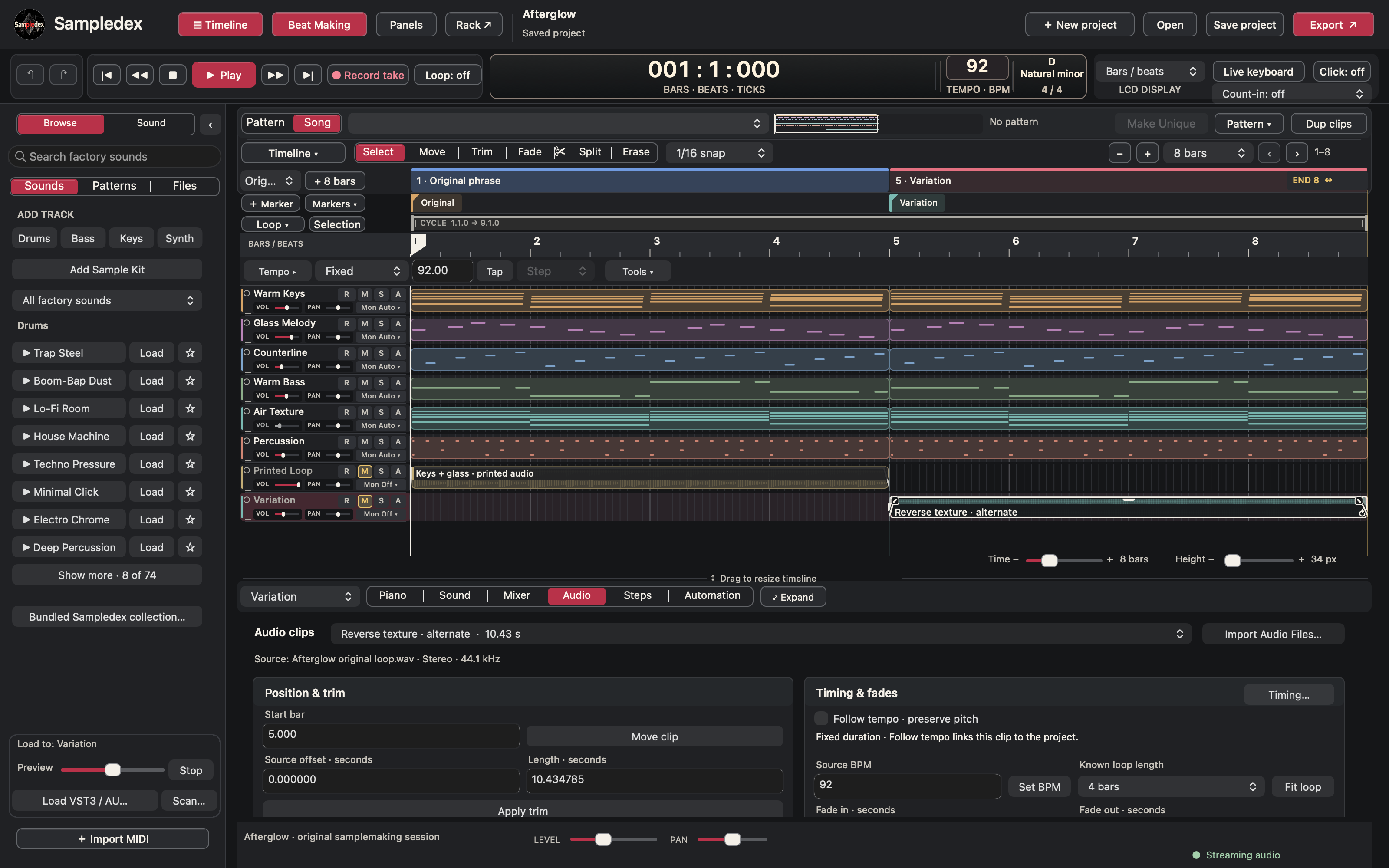
Sampledex arrangement with the original musical layers and printed audio used for a variation.

Print and variation

Keep the original phrase beside the audio you reshape.
PNG · 3200 × 2000Download PNG
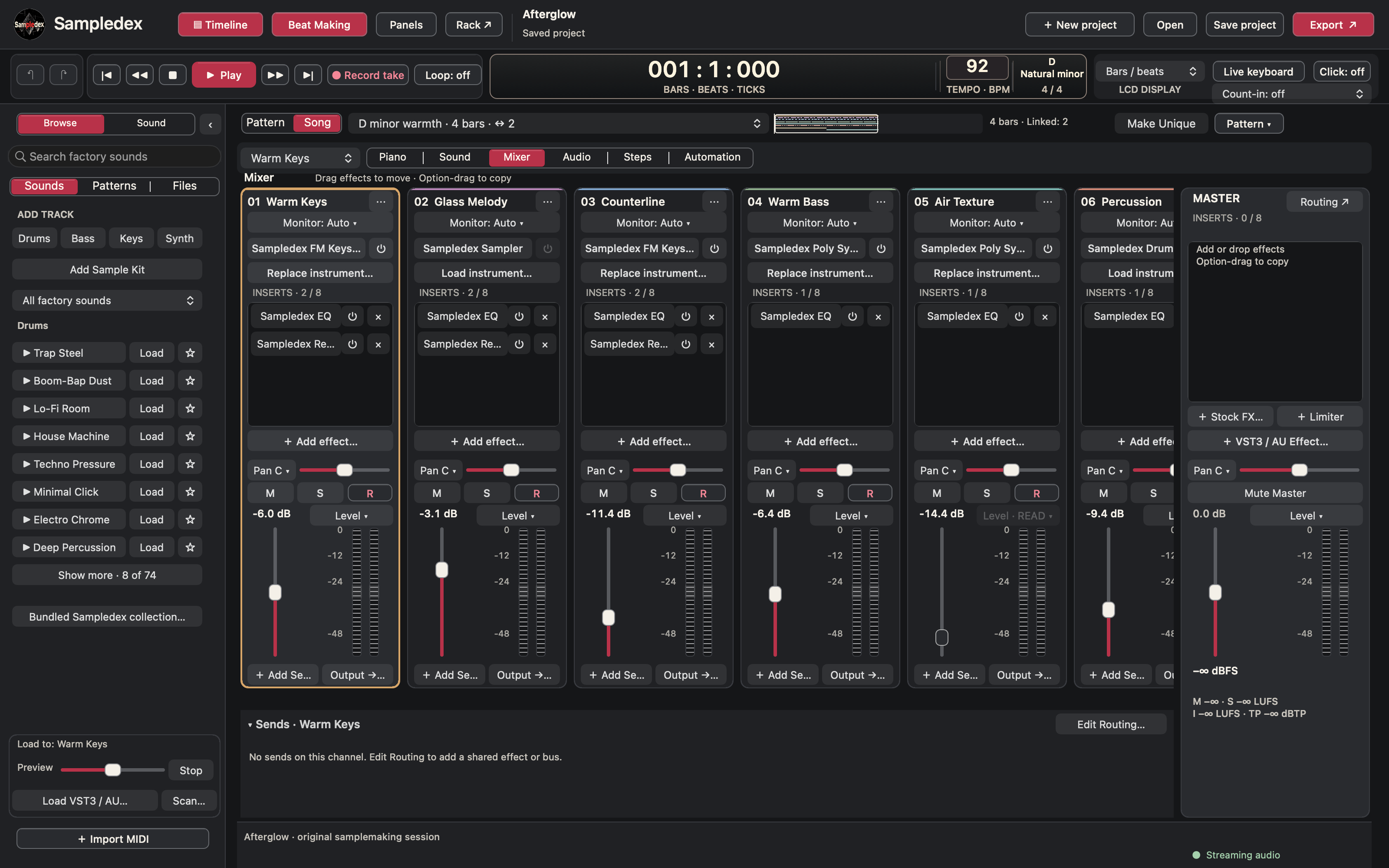
Mixer channels for keys, melody, countermelody, bass, texture and percussion, with their instruments, inserts, faders and Master channel.

Mixer

Keep the instruments, effects and levels of each layer in view.
PNG · 3200 × 2000Download PNG
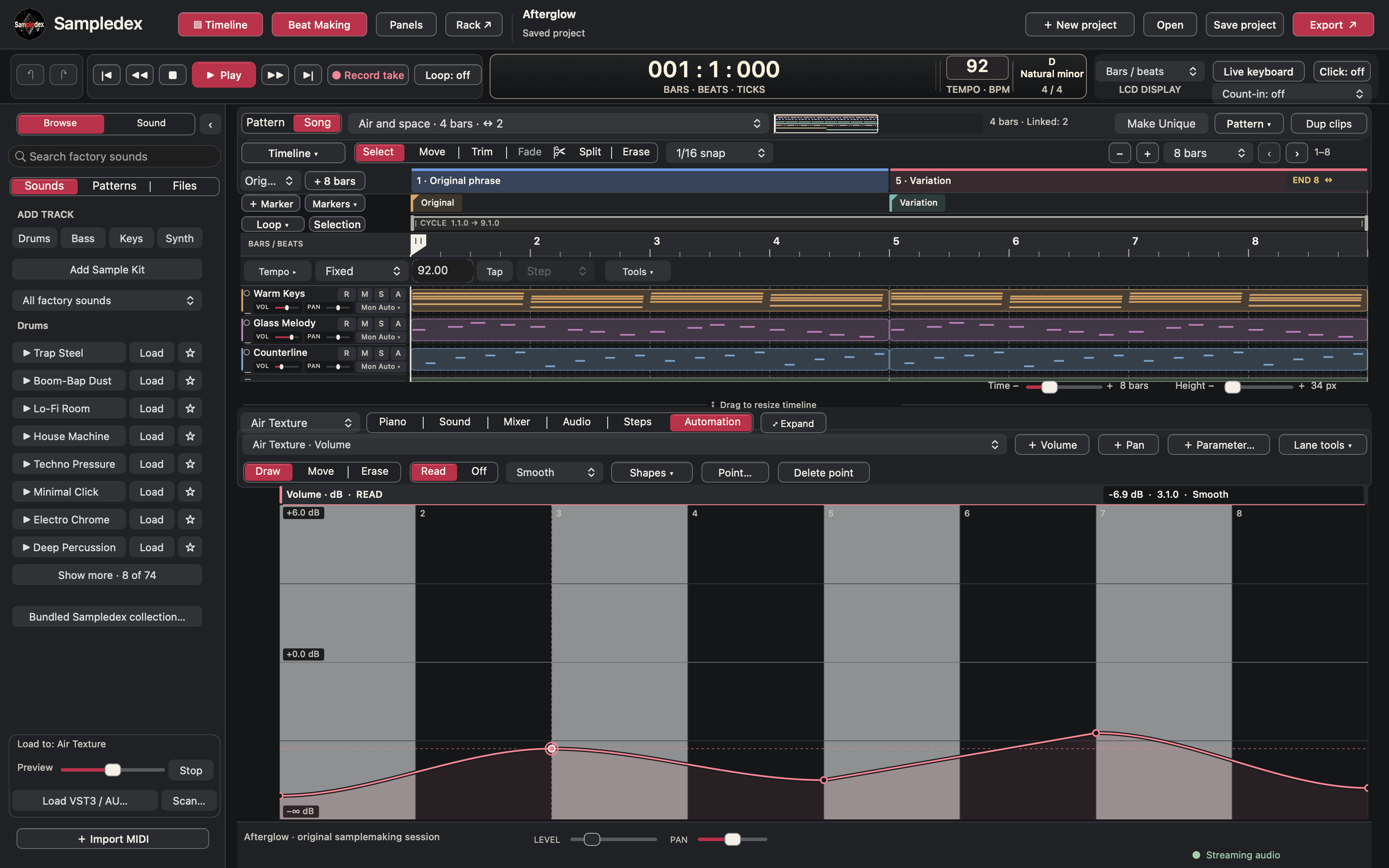
Air Texture volume automation drawn as a smooth curve across the eight-bar loop.

Automation

Draw movement across the loop with editable automation points.
PNG · 3200 × 2000Download PNG
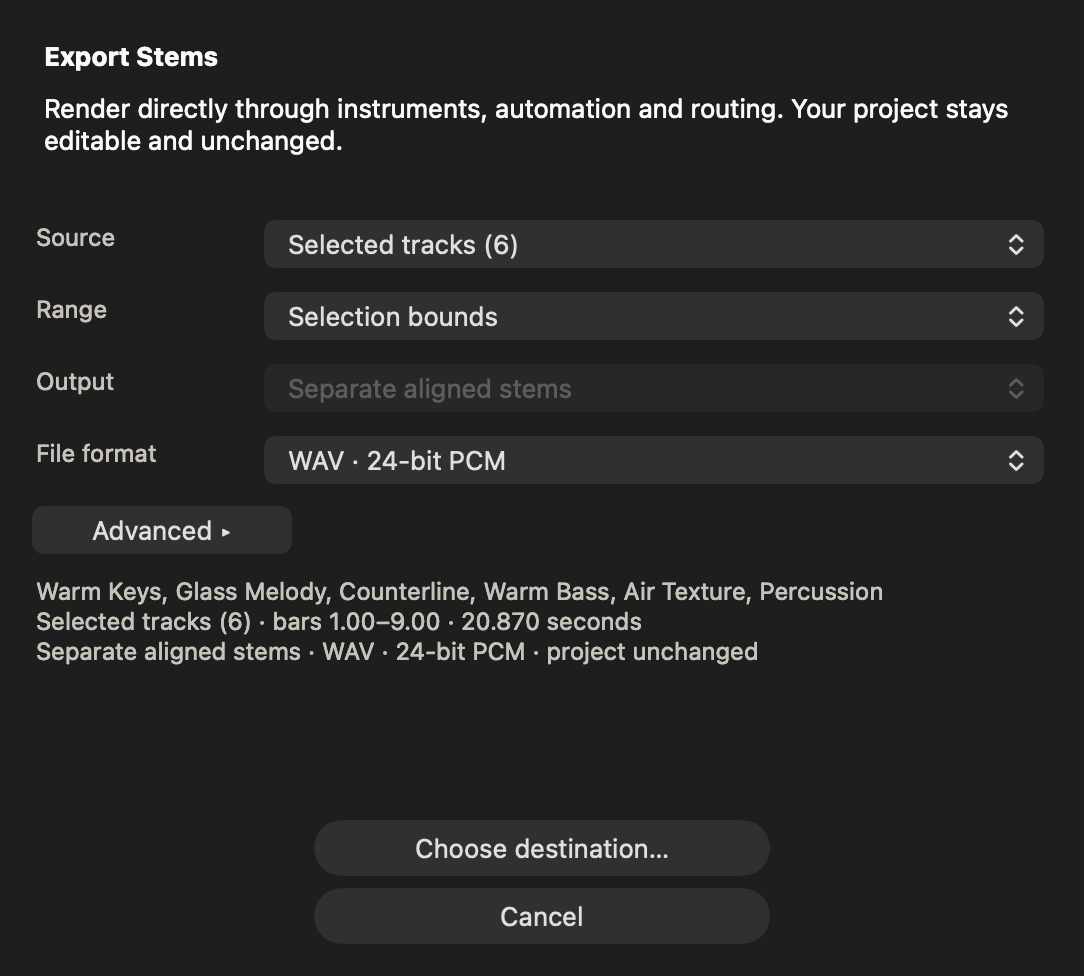
Export Stems dialog for six selected tracks, showing the range and separate aligned WAV output.

Export stems

Review the source, range and processing before exporting.
PNG · 1084 × 976Download PNG
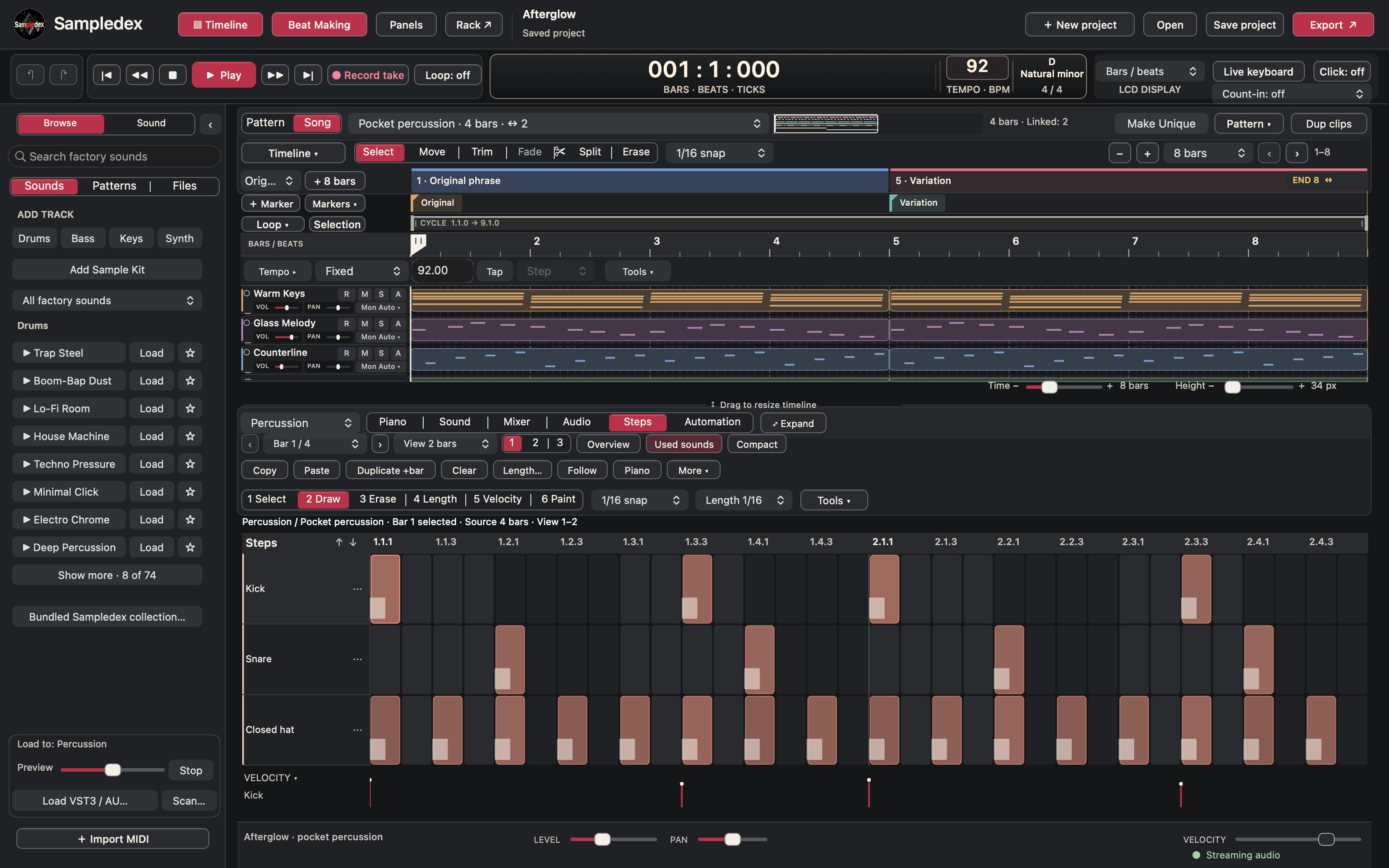
Steps showing kick, snare and closed-hat hits across two source bars, with bar controls and a velocity lane.

Steps and percussion

Build percussion across source bars, with each sound on its own row.

PNG · 3200 × 2000Download PNG