The workspace for samplemakers
Make the samples other producers build on.
Write melodies, record ideas and shape audio into something of your own. Sampledex brings the loop, its layers and your export workflow into one place.
Free · Beta
macOS · Windows (testing) · Version 0.19.0
Original loops. Playable sounds. Stems and MIDI.
Write. Shape. Print. Export.
From the first phrase to the files you send.
Start with a few bars. Find the sound, develop a variation, then deliver the loop and its parts.
- 01
Write or play.
Build a phrase with notes, a keyboard or your own recording.
- 02
Shape the sound.
Tune a sample, work its envelope and set its timing.
- 03
Print and vary.
Bounce a layer to audio and turn it into new material.
- 04
Deliver the parts.
Export the loop, aligned stems or MIDI.
01 / Write or play
Give the idea a few bars.
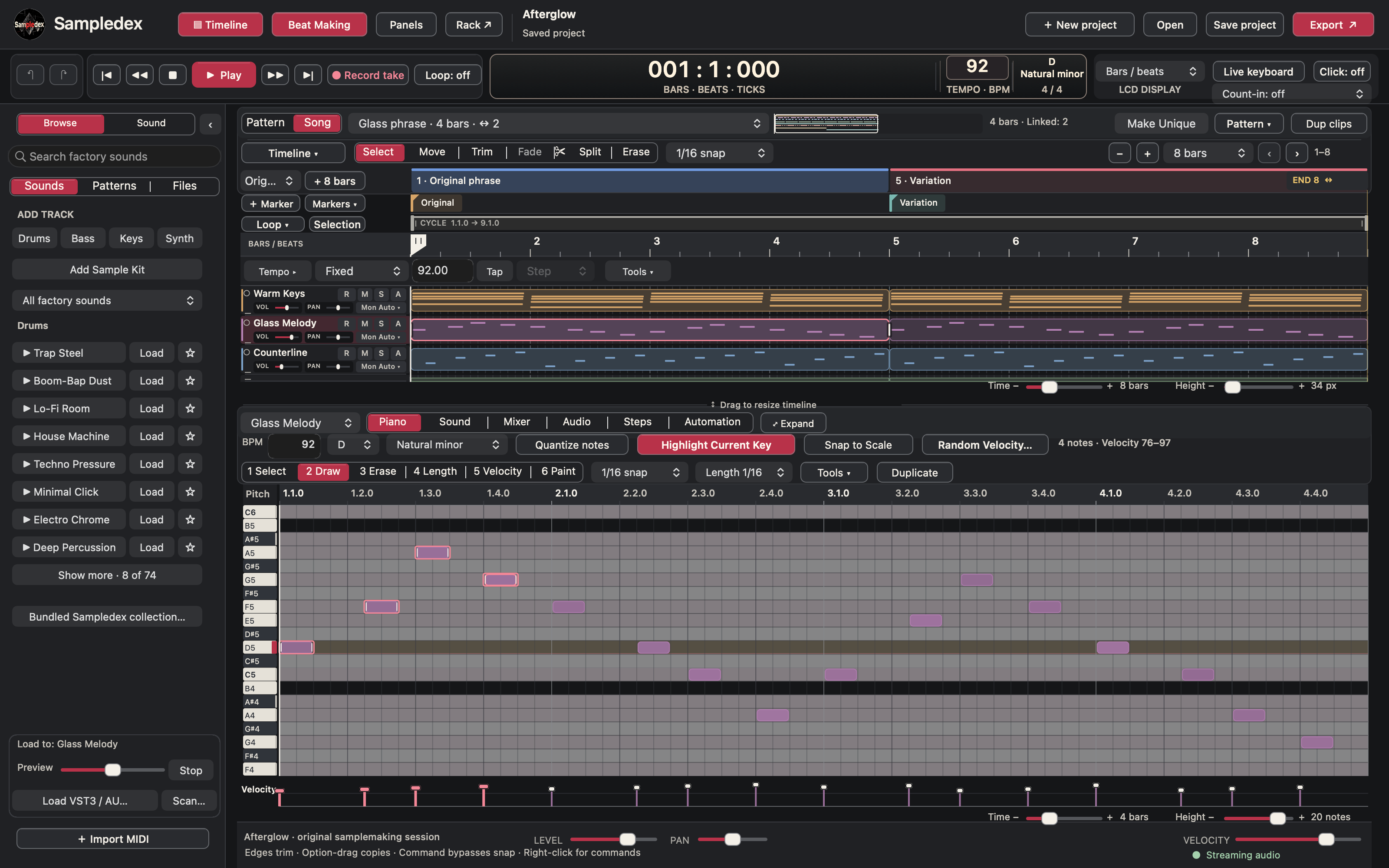
Start with chords, add a melody and leave space for the answer. Write in Piano, use chord and scale tools, and adjust velocity to shape the phrase. Record a MIDI keyboard or an audio input when the idea starts with your hands.
Loop Maker offers four- or eight-bar starting points with Keys / Chords, Melody, Countermelody, Bass and Texture. Add drums when the loop needs them.
02 / Shape the sound
A sample can become an instrument.
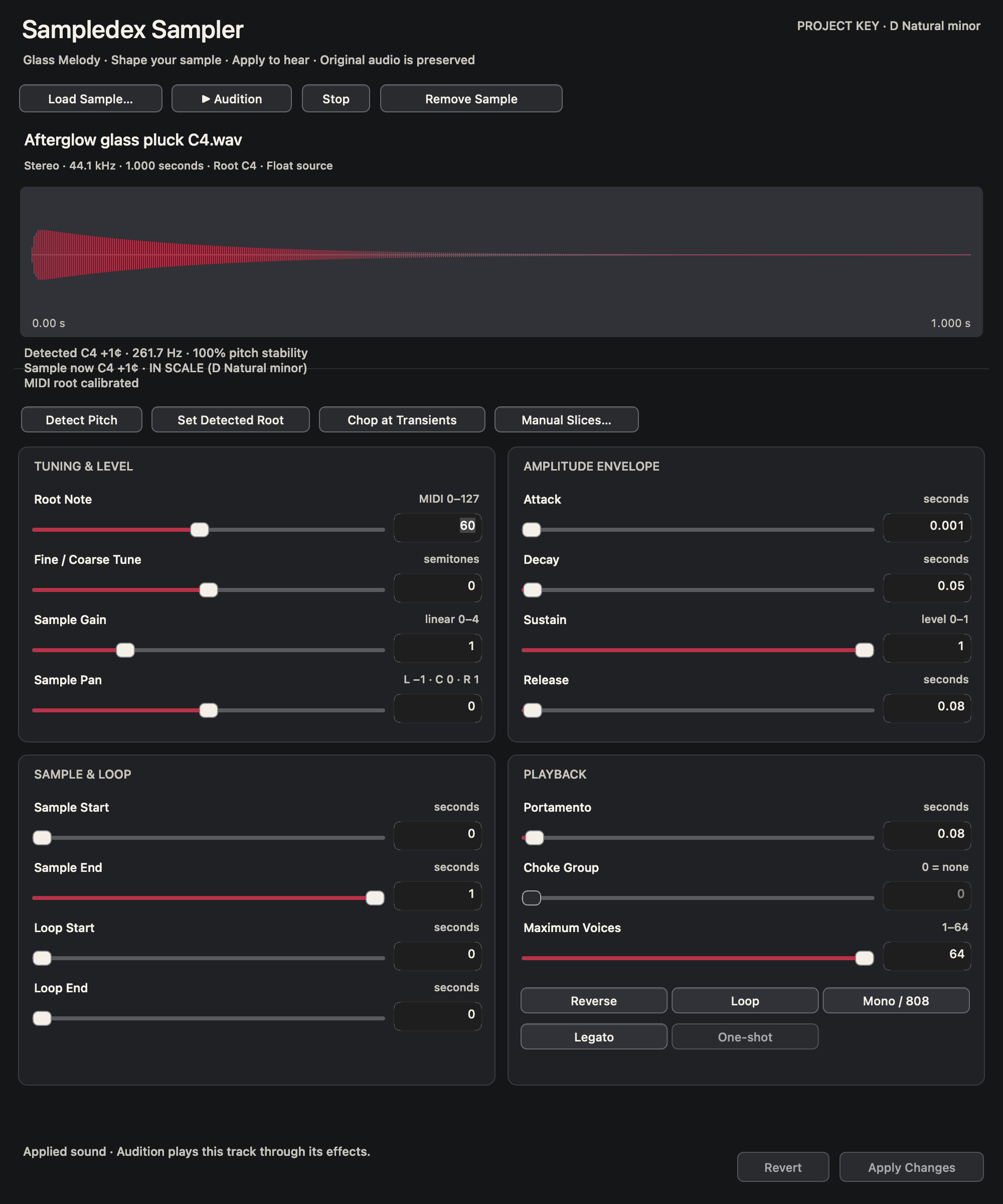
Load your own audio, tune its root and shape the envelope. Chop a recording at transients or choose your own slice points, then play the pieces from a drum rack.
Build from included instruments, your samples or compatible plug-ins. Keep the sound and its effects with the project.
03 / Print and vary
Print a layer. Take it somewhere new.
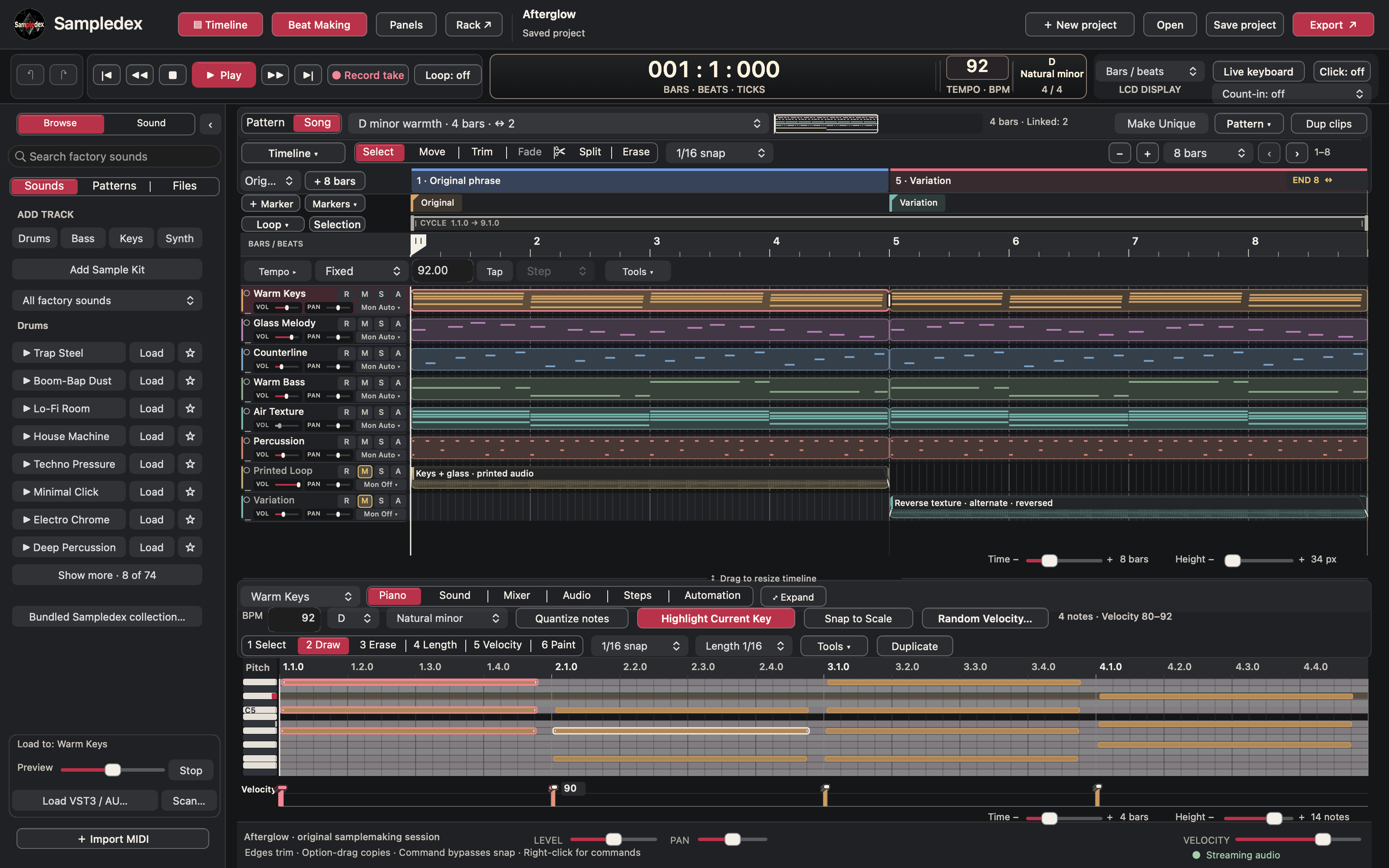
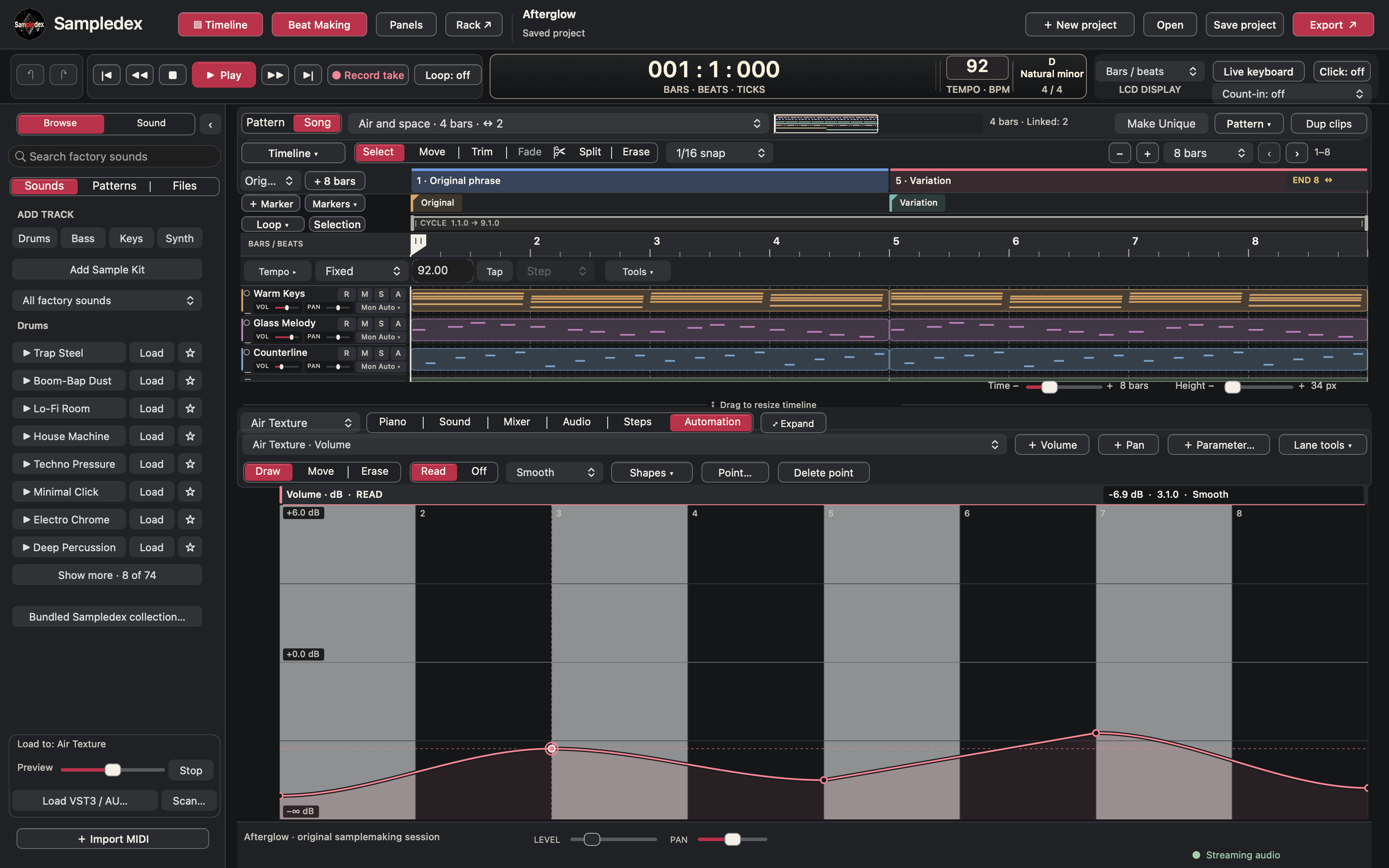
Bounce instruments and effects back into the arrangement as audio while keeping the source MIDI. Split a phrase, reverse a section, shape its fades or stretch its timing while preserving pitch.
Duplicate a placement and make it unique when the next variation needs its own notes. Keep the original idea available as you explore the next one.
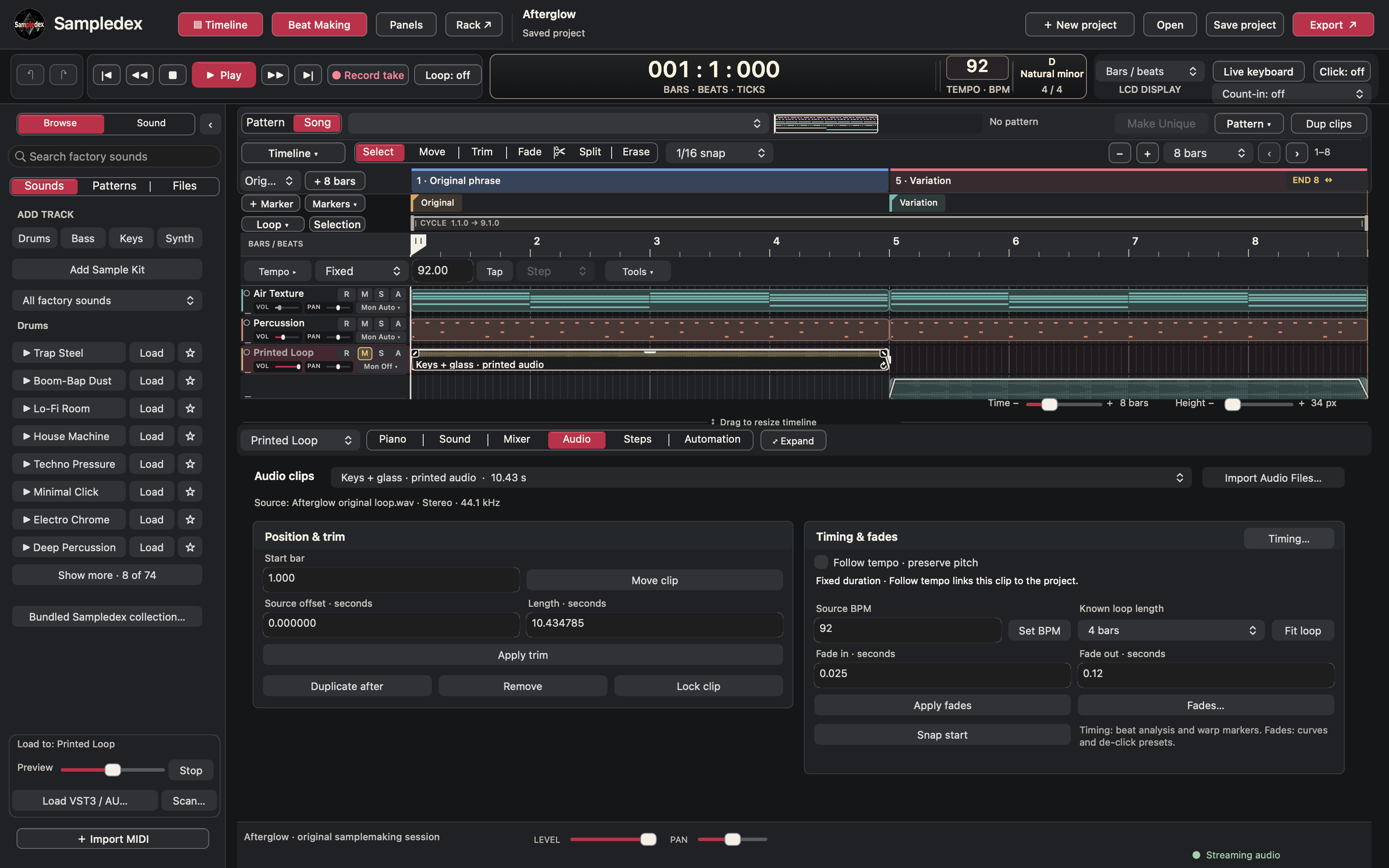
Make the audio fit the phrase.
Set the source window, choose the loop length and shape its fades. Fit audio to the project tempo when you want it to follow the grid, or keep its original duration.
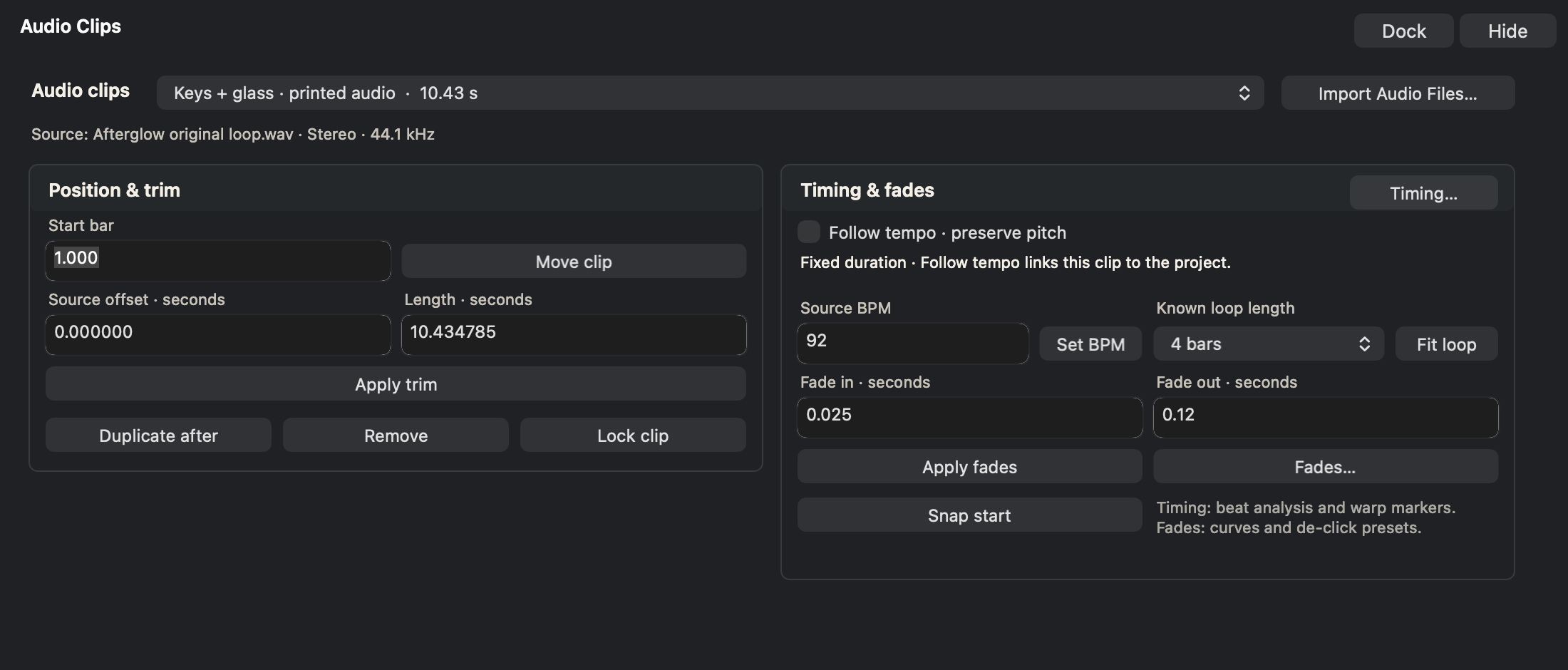
Print a layer. Take it somewhere new.
Duplicate a placement and make it unique when the next variation needs its own notes. Keep the original idea available as you explore the next one.
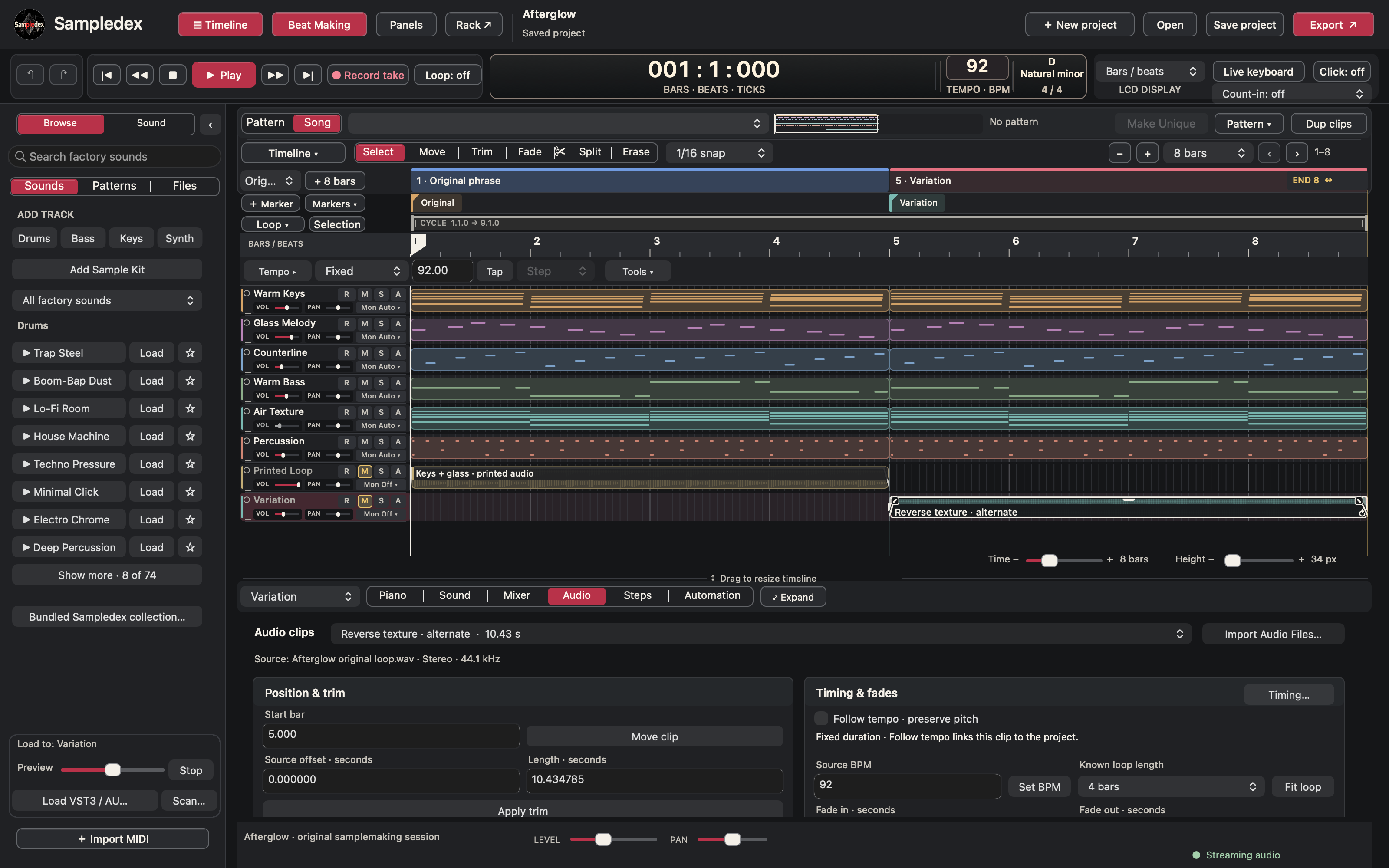
Give the loop movement
Make the layers work together.
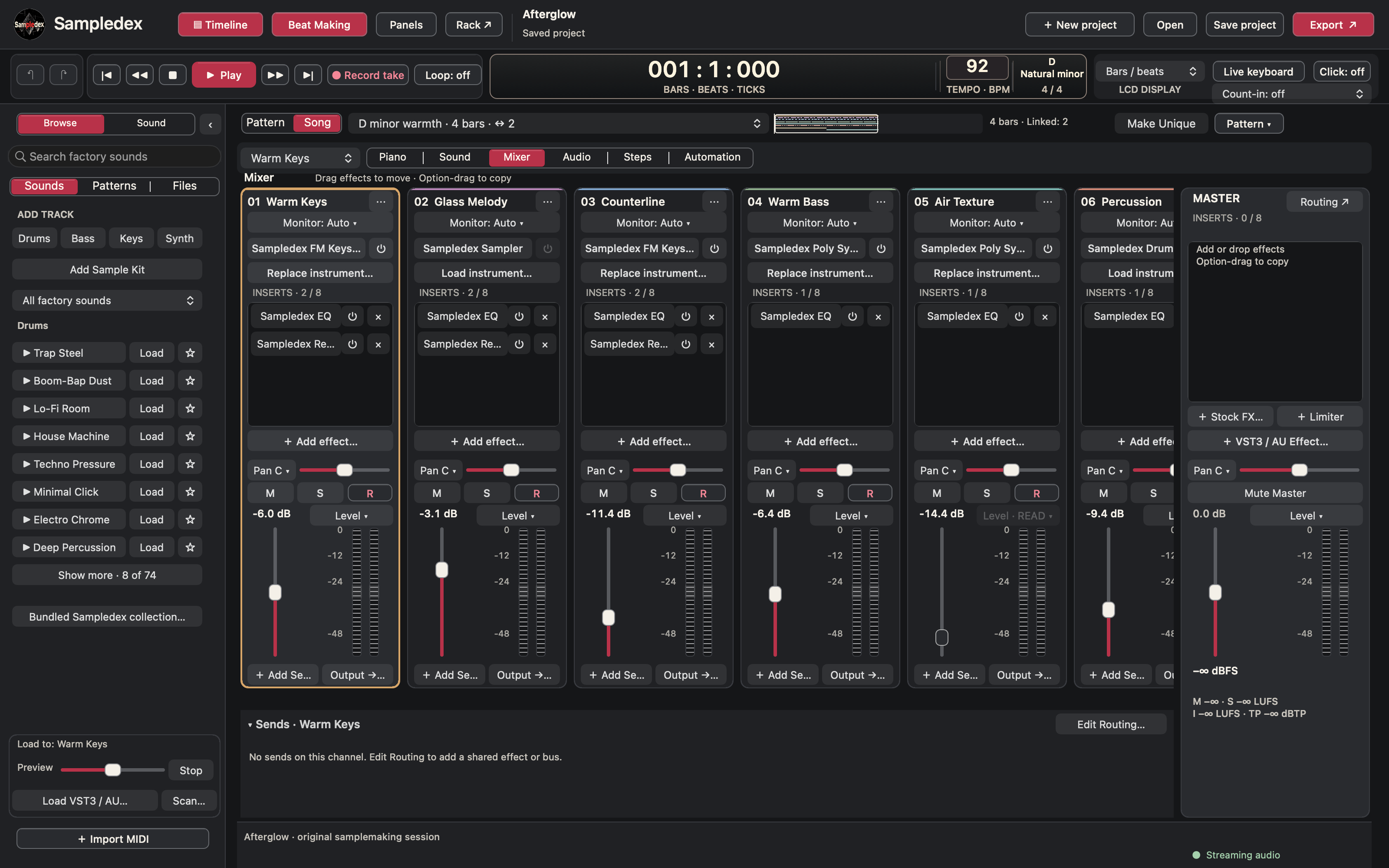
Balance the parts and shape their effects. Draw automation for movement across the phrase, from a rising texture to a quieter ending.
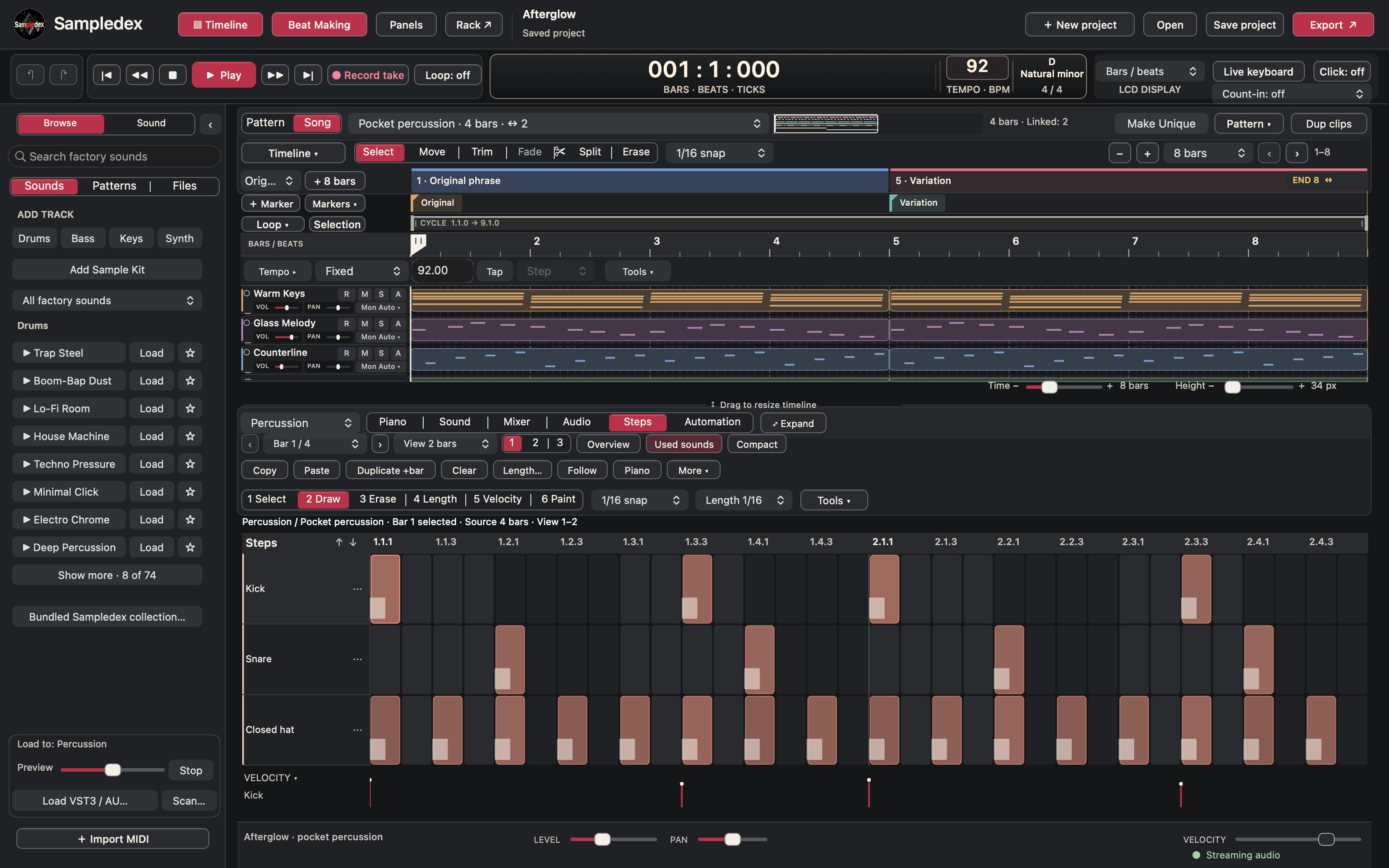
Add the rhythm when it belongs.
Work with named sounds in Steps. Copy a bar, add a fill and review the pattern in Overview before opening the next detail.
04 / Deliver the parts
The loop is ready. So are its layers.
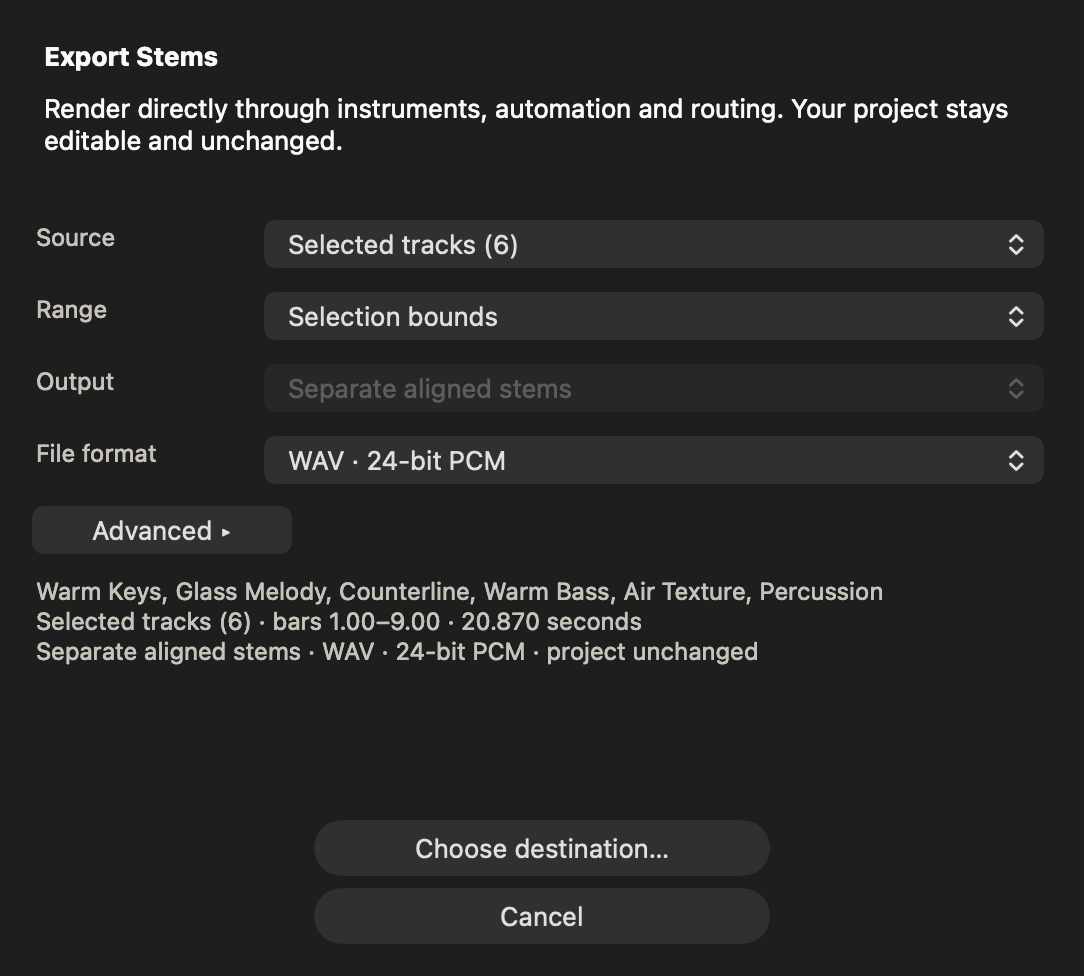
Export the full loop, selected parts or separate aligned stems. Choose an exact range for the loop or keep an effect tail. Export MIDI when the next session needs the notes as well as the sound.
- WAV / AIFF
- Audio for production and further editing.
- MP3
- A listening copy to share.
- MIDI
- Editable musical notes and timing.
Learn the workflow
Build a beat. Follow every stage.
Watch the Night Circuit walkthrough: start with a Trap template, draw a drum groove, shape bass notes, import a loop, arrange a variation, balance the mix, save and export. The 4:56 tutorial uses real app footage, instructional overlays and locally generated synthetic narration.
Sampledex demo
Sampledex DAW Preview | Bass Escape 131 BPM
Stock sounds preview
A preview of the stock sounds included in Sampledex 0.19.
Night Circuit playback
Night Circuit — 30 seconds of finished-beat playback in the Sampledex workspace. Music and brief overlays, with no narration. This is a separate song from Pressure Mode.
Compatibility
Before you download
- Which computer do I need?
- A Mac with Apple Silicon running macOS 14 or later, or a Windows x64 PC. The Windows version is still in testing.
- Can I use other plug-ins?
- Compatible native ARM64 VST3 and Audio Unit v2 plug-ins are supported. VST2, Intel bridging and AUv3 are not supported by this edition. External plug-ins may have their own installation, licensing and online requirements.
- Can I work offline?
- The included instruments and sounds work offline. Downloading the installer and viewing online media still require a connection.
- Can I record audio?
- Basic system-input recording is available as mono 44.1 kHz/16-bit takes. It is not a stereo/multichannel recording console; see the guide before planning an interface session.
- What should I know before updating?
- Quit Sampledex before running the installer and keep independent copies of important projects. The guide explains schema 11 project compatibility and other current limitations.
Start the next loop with a sound of your own.
A chord progression, a recorded phrase or a sample you want to change. Give it a few bars and see where it goes.
Sampledex 0.19.0 for macOS 14 or later on Apple Silicon, and for Windows x64 (still in testing) — free, like every Sampledex release. Release notes and earlier builds are on the releases page.
This is a beta release. Things are still changing, and some features are unfinished — your feedback shapes what comes next.
Windows · 0.19.0
Still in testingBuild 65 · Windows x64. The Windows version is still being tested and may not work as expected.
iPad · App Store
Build beats by touch: record audio, draw MIDI, program drums and mix with included sounds and instruments.
Limitation: Projects made on iPad don't open in the macOS or Windows versions yet.


Get in touch
Report an issue or join the project
Found a bug in the beta, or want to help build Sampledex? Email us directly — tell us what you were doing, what you expected, and what happened.
Support the project
Sampledex is free. If it helps your beats, you can chip in on Ko-fi.
Donate to Sampledex